Speedometer: GPS Speed Tracker
ZipoAppsMaps & Navigation
4.4366.00 Reviews
- Version
- 1.36.5
- Installs
- 5.00M
- Age Rating
- Everyone
Screenshots
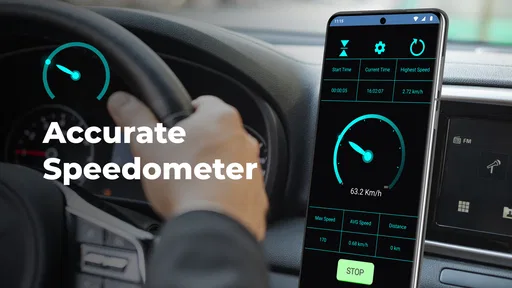
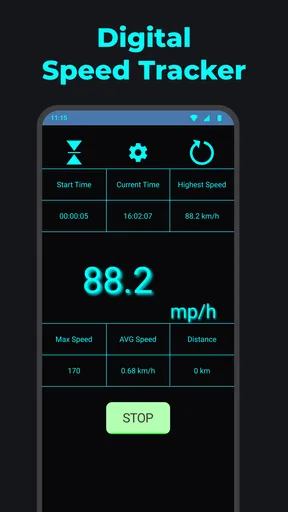
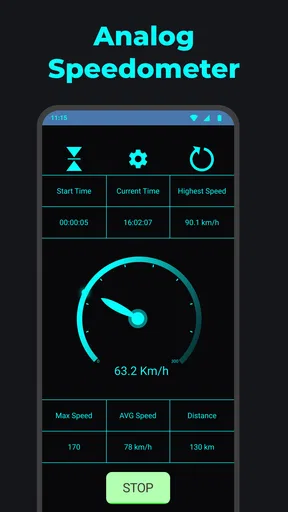
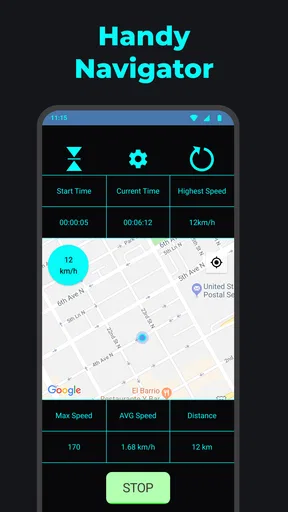
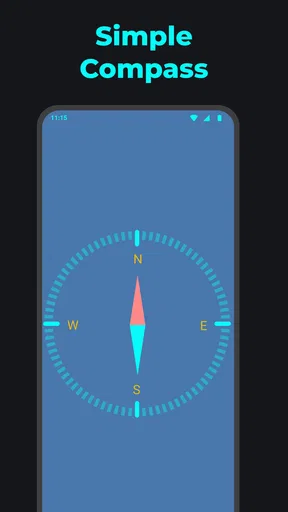
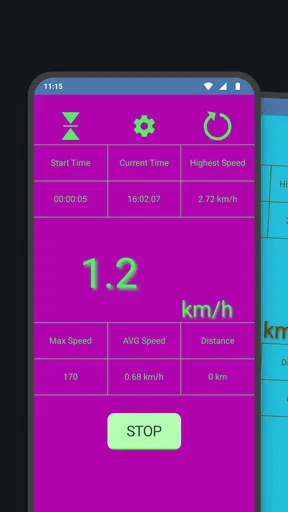
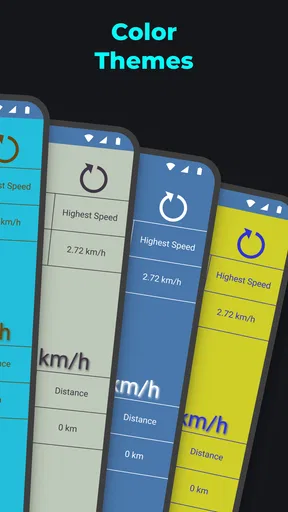
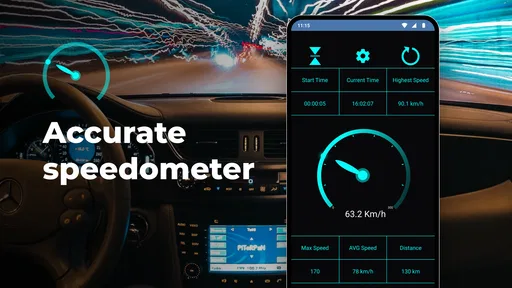
Our Review of Speedometer: GPS Speed Tracker
 Analysis by Appyee
What makes a speed-tracking app worth keeping is not the first glance at a moving number; it is whether it helps with a recurring task without becoming another thing to manage. Speedometer: GPS Speed Tracker is aimed at that practical gap: checking your pace and keeping a record of trips using a phone’s GPS. I find that most useful when I have a specific reason to monitor a journey, rather than as a permanent dashboard for every outing.
The first-week appeal is the quick check
During the first few uses, the attraction is immediate. You open the app, see a speed reading, and can get on with the ride or drive instead of pairing a separate speed-measuring device. For a person who has borrowed a car, rides a bicycle now and then, or wants to understand how fast a familiar route feels, that low-effort start is a real advantage.
A sensible first test is to use it on a short, familiar journey in conditions where you can safely glance at the screen. That gives you a feel for how the reading behaves before you depend on it for a longer trip. GPS readings can be affected by reception and surroundings, so I would treat the display as a helpful estimate rather than a calibrated instrument. Keep your attention on the road, and do not try to inspect the phone while moving.
The app is free to download, and its Everyone age rating makes it broadly accessible. It is developed by ZipoApps and sits in the maps and navigation space, though its purpose is narrower than a full navigation service. The current version is 1.36.5 and it requires Android 5.0 or later. It has a 4.3 average from around 43,000 ratings, with over 5 million installs, which suggests that the simple speed-checking idea has found a substantial audience.
Where it fits into an ordinary routine
A realistic use is a weekend bike ride on roads you already know. Before setting off, I would open the speed display and decide whether the trip log is useful for that outing. Afterward, the recorded distance and average or maximum speed can help answer concrete questions: did I take the longer route, or was that stretch faster than it felt? That is more useful than checking a number once and forgetting it.
Drivers may also value the trip record when they want a broad view of their own habits. A speed alert can act as a personal reminder, but it should not replace attention to posted limits or the vehicle’s instruments. GPS speed and a vehicle speedometer may not match exactly, and the phone’s position or signal can affect what it reports. I would use the alert as a nudge, not as proof that a particular speed is safe or legally compliant.
For a runner, the appeal is less obvious. The app’s speed display may satisfy curiosity during a run, but holding or checking a phone is awkward and distracting, and a dedicated running app or watch is usually better for repeated training. Likewise, anyone who needs turn-by-turn directions, traffic-aware routing, or a hands-free navigation workflow should choose a conventional navigation app. This one is best when the question is “How fast am I going?” rather than “How do I get there?”
Getting Up to Speed
Downloading and setting up Speedometer: GPS Speed Tracker was a breeze. It’s available on both Android and iOS, so no worries about compatibility issues. Once you’ve got it installed, the app greets you with a sleek, no-nonsense interface. It’s clear that the developers prioritized functionality and simplicity, which I definitely appreciate. No one likes fumbling through menus when they’re ready to hit the road.
Features That Stand Out
The app offers a variety of features that make it stand out from other speed tracking apps. First up, the real-time GPS-based speed tracking. This feature was incredibly accurate in my experience, even when driving through areas with spotty reception. The app uses your phone’s GPS to calculate your speed, which eliminates the need for any additional hardware.
Another cool feature is the customizable speed limits. You can set speed alerts for yourself, which is super handy if you’re prone to lead-foot syndrome. I found the alert sound to be just the right level of intrusive—not too annoying, but enough to grab your attention.
The trip log feature is also worth mentioning. It keeps a detailed record of your journeys, including maximum and average speeds, and distance traveled. It’s perfect for those who like to keep tabs on their driving habits or just want to reminisce about past adventures.
User Experience: Smooth Sailing
In terms of user experience, I found Speedometer: GPS Speed Tracker to be very intuitive. The app’s design is clean, with all the essential features easily accessible. The speedometer itself is clear and easy to read, even when I was glancing at it quickly while biking.
One small gripe I had was the battery usage. As you can imagine, running GPS continuously can drain your battery pretty quickly. However, this is a common issue with all GPS-based apps, and the developers have done a good job minimizing the impact as much as possible.
Making the records useful beyond the novelty
Trip logs are most valuable when you use them to answer a question, not when you collect journeys for their own sake. I would compare similar trips only when the route and conditions are broadly alike; a different detour or a long stop can make an average speed misleading. Maximum speed can be interesting, but it is a single peak, not a summary of how safely or smoothly you travelled.
A small routine can keep the app from becoming clutter. Decide before a journey whether you want a record, then end the session when you are done and review only the details that matter. If you are using the app for commuting, a few representative trips may tell you more than logging every drive. This also limits the temptation to keep the screen active and GPS running when you do not need either.
There is a practical trade-off between visibility and battery life. GPS use is the core of the experience, so a long outing is the situation where battery drain matters most. I would start with a charged phone, avoid running the tracker unnecessarily before departure, and make sure the phone is mounted or positioned safely if you need to see the display. The app cannot make a phone screen easier to read in every lighting condition, so do not let a hard-to-see reading become a distraction.
Month-to-month value and alternatives
Once the novelty wears off, the recurring value depends on how often you genuinely want a speed reading or a trip record. A casual cyclist who checks speed on occasional rides may find the app useful for months because it fills a specific need without extra equipment. A driver who already relies on a clear dashboard speedometer may open it only when comparing trips or using an alert. That is not a failure; it simply means the app is a supplementary tool rather than something everyone needs running daily.
Compared with the usual alternatives, the distinction is straightforward. A built-in vehicle speedometer is easier to glance at and does not require a phone screen, while a dedicated cycling computer or sports watch is more comfortable for frequent training and may fit a rider’s routine better. General navigation apps are stronger for routes and directions. This GPS speed tracker makes the most sense when you want a phone-based reading and trip history in one place, without buying a separate device.
There is also a cost consideration beyond the initial download. The app is free, but it offers in-app purchases ranging from $0.99 to $279.99 per item. I would approach those options with a clear idea of what I need and check the purchase details before paying; the basic appeal is the speed-tracking task, so there is no reason to buy anything simply because it is available. If you only need an occasional reading, start free and decide later whether any paid option serves a recurring purpose.
Maintenance, friction, and the point to stop
The maintenance burden is modest, but not zero. You need to remember to start a tracking session, keep enough battery for the rest of the trip, and make room for a phone in a position that does not interfere with safe driving or riding. GPS reception can also be less dependable in places where the phone has difficulty getting a clear signal. If a reading looks implausible, I would trust the vehicle’s instruments and conditions around me rather than trying to troubleshoot while moving.
What can become tiring is the combination of screen attention, battery use, and records that do not answer a useful question. A speed alert is not a substitute for watching the road, and a trip log is not automatically meaningful just because it contains numbers. If your main goal is navigation, fitness coaching, or precise measurement, a tool designed specifically for that job is the better choice. The app is also a poor fit for anyone who expects a phone-based GPS reading to serve as an authoritative speed or distance instrument.
For users who wonder whether it works without extra hardware, the central speed-reading approach uses the phone’s GPS, so no separate speed sensor is needed for that basic purpose. The trade-off is that the phone must be available and GPS conditions matter. If you want directions as well as speed, keep a navigation app in your routine; if you want training plans or detailed exercise analysis, look to a dedicated fitness option instead.
Why You Should Give It a Go
If you’re someone who enjoys tracking their speed whether in a car, on a bike, or even while running, this app is a great companion. Its accuracy and range of features make it a reliable choice for anyone looking to keep an eye on their speed.
Moreover, the app is not just for speed enthusiasts. It’s also a valuable tool for ensuring you stay within speed limits, potentially avoiding those pesky speeding tickets. Plus, the added trip log feature might just make this app your new favorite travel buddy.
Overall, Speedometer: GPS Speed Tracker is a well-rounded app that does what it promises efficiently. It’s a must-have for anyone who values precise speed tracking in a sleek, user-friendly package. So why not give it a try? You might just find yourself relying on it more than you’d expect.
Verdict
Strengths of Speedometer: GPS Speed Tracker
- Accurate GPS-based speed tracking.
- User-friendly interface for easy navigation.
- Customizable speed units and alerts.
- Works offline for remote areas.
- Integrates with other navigation apps.
Limitations of Speedometer: GPS Speed Tracker
- Consumes battery quickly with constant use.
- Ads can be intrusive at times.
- Limited features in the free version.
- Requires GPS signal, limiting indoor use.
- May lag on older devices.
Other Releases by ZipoApps
View All
Screen Mirroring - Cast to TV
Video Players & Editors4.3

Cut and Paste Photos
Photography4.6

Edge Lighting - Borderlight
Personalization4.8

Widgets OS 18 - Color Widgets
Personalization4.7
Similar Picks in This Category
View All
Uber - Request a ride
Uber Technologies, Inc.4.7


inDrive. Rides with fair fares
® SUOL INNOVATIONS LTD4.8

Yandex Go: Taxi Food Delivery
Mikromobilnost LLC Belgrade4.8

Bolt: Request a Ride
Bolt Technology4.8

Rapido: Bike-Taxi, Auto & Cabs
Rapido Bike Taxi4.8
Frequently Asked Questions
How accurate is the Speedometer: GPS Speed Tracker?
The accuracy of Speedometer: GPS Speed Tracker largely depends on your device's GPS capabilities. Generally, the app provides precise speed readings similar to a car's speedometer. However, its accuracy can vary in areas with poor GPS reception, such as tunnels or dense urban environments. Regular updates also help enhance accuracy.
Does the app require an internet connection to function?
Speedometer: GPS Speed Tracker primarily uses your device's GPS to track speed, so it doesn't require an internet connection for basic functionality. However, some features like map integration or real-time traffic updates may need data access. Offline use is possible, making it ideal for areas with limited connectivity.
What are the main features of Speedometer: GPS Speed Tracker?
This app offers a range of features, including real-time speed tracking, average speed calculation, trip logging, and customizable speed alerts. Users can also access detailed trip histories and view speed in various units. Additionally, it often includes a HUD mode for easier viewing while driving.
Is the app user-friendly for beginners?
Yes, Speedometer: GPS Speed Tracker is designed with user-friendliness in mind. It features an intuitive interface that is easy to navigate. New users can quickly set up and start tracking their speed without extensive tutorials. The app provides clear instructions and customizable settings to enhance usability.
Are there any in-app purchases or ads?
Speedometer: GPS Speed Tracker typically offers a free version with ads, which can be removed through an in-app purchase. Additional features or premium versions might be available for purchase, providing an ad-free experience and unlocking advanced functionalities. Always check the app store listing for specific details on pricing.
